
How to Detect If You Have Been Hacked (2026)
July 21, 2026
VPN Setup And Best Practices Guide
July 22, 2026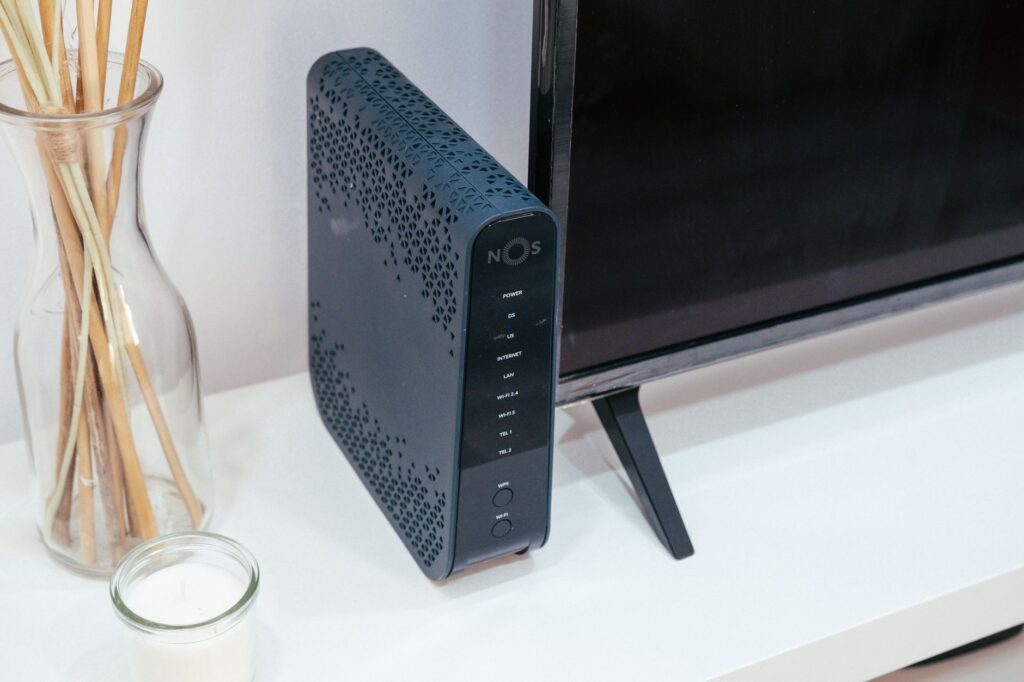
A single unpatched router brought down a regional accounting firm’s entire client database in 2024 — exposing 14,000 tax records and triggering a $340,000 regulatory fine. The firm had six employees and no dedicated IT staff. If you run a small business and assume you’re too small to be a target, the threat actors automating mass network scans disagree with you entirely.
Small and medium-sized businesses now account for 43% of all cyberattack targets, according to Verizon’s 2025 Data Breach Investigations Report — yet fewer than 20% have a documented network security policy. The gap between exposure and preparedness is where attackers live. This guide closes that gap with concrete, deployable strategies you can act on this week.
Understanding Your Small Business Network Attack Surface
Before you can defend something, you need to see it clearly. Most small business owners dramatically underestimate how many devices touch their network. A typical ten-person office in 2026 might have 40+ connected endpoints: laptops, phones, tablets, smart thermostats, IP cameras, a cloud-connected printer, a VoIP phone system, and a point-of-sale terminal. Each is a potential entry point.
Conducting a Network Asset Inventory
Start with a complete asset inventory — a full list of every device authorized to connect to your network. Free tools like Angry IP Scanner or Advanced IP Scanner can sweep your local subnet and surface devices you didn’t know existed. Once discovered, categorize each device by:
- Criticality: Does this device touch financial data, customer records, or operational systems?
- Owner: Is it company-owned or a personal device (BYOD)?
- Update status: When did it last receive a firmware or OS patch?
- Network segment: Is it on your primary LAN, a guest network, or an isolated VLAN?
A 2025 Ponemon Institute study found that organizations with an up-to-date asset inventory detected breaches 67% faster than those without one. That speed directly reduces breach costs — every hour of dwell time a threat actor has in your environment compounds the damage.
Mapping Data Flows and Trust Zones
Beyond devices, map where sensitive data travels. Which systems send data to cloud storage? Which employees can access payroll? Does your POS terminal have a pathway to the same segment as your accounting software? Visualizing these data flows reveals implicit trust relationships your firewall rules may not yet reflect — and those implicit trusts are exactly where lateral movement attacks succeed.
Hardening Your Router and Perimeter Defenses
Your router is the front door. Most small businesses deploy it with default credentials and default firmware, then never touch it again. In 2023, the Mirai botnet variant “Moobot” compromised over 50,000 SOHO routers — predominantly using factory-default credentials. That’s not a sophisticated attack. That’s opportunism at scale.
Essential Router Security Configuration Checklist
Walk through each of these configurations on your router’s admin interface. If your current hardware doesn’t support them, that hardware needs replacement:
- Change default admin credentials immediately. Use a passphrase of 20+ characters. Store it in a password manager, not a sticky note.
- Disable remote management unless you have a documented operational need. If you need it, restrict access to specific IP addresses.
- Enable automatic firmware updates or schedule manual quarterly firmware checks. Subscribe to the manufacturer’s security advisory feed.
- Disable WPS (Wi-Fi Protected Setup). The PIN-based WPS handshake has known brute-force vulnerabilities that have never been fully remediated.
- Use WPA3 encryption on all wireless networks. WPA2 is still acceptable where WPA3 isn’t supported, but WEP and TKIP are unacceptable in 2026.
- Enable DNS filtering at the router level using services like Cloudflare Gateway (free tier available) or Cisco Umbrella. This blocks malicious domains before connections are established.
- Disable UPnP. Universal Plug and Play allows devices to punch holes through your firewall automatically — a convenience that frequently creates unmonitored inbound attack paths.
Segmenting Your Network with VLANs
Network segmentation is the single highest-ROI architectural decision a small business can make. A VLAN (Virtual Local Area Network) creates logically isolated segments on the same physical infrastructure. At minimum, implement three segments: a corporate LAN for business devices, a guest/IoT VLAN for visitor devices and smart devices, and an operational VLAN for POS or industrial systems if applicable.
When the 2024 MGM Resorts breach began with a social engineering call, the attackers moved laterally through a flat network with minimal segmentation — escalating from a single compromised identity to enterprise-wide systems. Small businesses face the same flat-network risk. A managed switch from Netgear, TP-Link Omada, or Ubiquiti UniFi — costing $150–$400 — provides VLAN capability adequate for most small business environments.
Endpoint Protection and Patch Management
Perimeter defenses stop a subset of attacks. The rest arrive via phishing emails, malicious downloads, and compromised credentials — bypassing your firewall entirely by exploiting the human and software layers. Endpoint protection is your second line of defense, and it needs to be systematic, not ad-hoc.
Choosing and Deploying Endpoint Security
Modern endpoint protection goes far beyond legacy antivirus. Look for solutions offering Endpoint Detection and Response (EDR) capabilities — behavioral analysis that identifies suspicious process activity even from unknown malware strains. Purpose-built SMB platforms worth evaluating include:
- CrowdStrike Falcon Go: Cloud-native EDR with minimal performance overhead. Pricing starts around $8.99/device/month at SMB tiers.
- Bitdefender GravityZone Business Security: Strong detection rates with a centralized management console accessible to non-specialists.
- Microsoft Defender for Business: Included with Microsoft 365 Business Premium — a compelling value if you’re already in the Microsoft ecosystem.
- Malwarebytes for Teams: Cost-effective option with solid ransomware rollback capabilities.
Whichever platform you choose, centralized management is non-negotiable. You need visibility into every endpoint’s protection status from a single dashboard — not manual checks on individual machines.
Patch Management as a Security Discipline
The 2017 WannaCry ransomware attack exploited a Windows vulnerability for which Microsoft had released a patch 59 days earlier. The organizations that got hit simply hadn’t applied it. In 2026, that story repeats daily at smaller scale. Establish a formal patch cycle: critical patches within 48 hours, high-severity patches within two weeks, and everything else within 30 days. For small teams without a dedicated IT person, tools like NinjaOne, PDQ Deploy, or ManageEngine Patch Manager Plus automate patch deployment across your fleet with minimal ongoing overhead.
Identity, Access Control, and Authentication Security
Stolen credentials are the leading initial access vector in small business breaches — responsible for 61% of incidents according to the 2025 DBIR. This makes identity your most critical security perimeter, arguably more important than your network edge. Fortunately, the controls that address credential theft are among the lowest-cost, highest-impact security investments available.
Implementing Multi-Factor Authentication Across All Systems
Multi-factor authentication (MFA) blocks over 99.9% of automated credential-stuffing attacks, according to Microsoft’s own telemetry from their identity platform. Deploy it on every system that supports it: email, cloud storage, accounting software, banking portals, your router admin interface, and any remote access tools. Prioritize authenticator apps (Google Authenticator, Microsoft Authenticator, Authy) over SMS-based codes — SIM-swapping attacks have made SMS MFA significantly less reliable for high-value accounts.
Enforcing Least Privilege Access
Every user account should have access to only what they need to do their job — nothing more. This principle of least privilege limits the blast radius when an account is compromised. Practically, this means:
- No shared admin credentials. Every administrator has an individual named account.
- Standard user accounts for day-to-day work, even for IT staff. Admin accounts used only when elevation is required.
- Quarterly access reviews — revoke permissions from employees who have changed roles, and immediately deprovision accounts when staff leave.
- Use a business password manager (1Password Teams, Bitwarden for Business, Keeper Security) to enforce unique, complex credentials across all accounts without burdening employees to memorize them.
Backup Strategy, Incident Response, and Business Continuity
Assume breach. This isn’t pessimism — it’s the posture that separates recoverable incidents from business-ending ones. The ransomware campaigns targeting small businesses in 2025 increasingly use double extortion: encrypting your data and threatening to publish it. Your ability to recover without paying a ransom depends entirely on how you’ve structured your backups before the attack occurs.
The 3-2-1-1 Backup Rule for Small Businesses
The traditional 3-2-1 backup rule has been updated for the ransomware era: maintain 3 copies of your data, on 2 different media types, with 1 copy offsite, and 1 copy air-gapped or immutable. The fourth element is critical — immutable backups stored in write-once cloud storage (Amazon S3 Object Lock, Wasabi immutable buckets, or Backblaze B2 with Object Lock) cannot be encrypted or deleted by ransomware, even if the ransomware compromises your backup administrator’s credentials.
Test your backups quarterly. The 2024 ColonialWebb data loss incident — a regional logistics firm — revealed that their backup system had been silently failing for four months. They discovered this during a ransomware recovery attempt. Untested backups are not backups; they are assumptions.
Building a Minimal Incident Response Plan
You don’t need a 200-page IR playbook. You need answers to five questions documented and accessible to everyone in your organization:
- Who do we call first when something looks wrong? (Internal lead + external IT contact)
- How do we isolate an infected machine from the network without destroying forensic evidence?
- Who are our legal and PR contacts if customer data is involved?
- What are our regulatory notification obligations and timelines? (GDPR: 72 hours; most US state breach laws: 30–60 days)
- Where is the offline copy of this plan? (It’s useless if it’s only in the system you can’t access.)
Employee Security Awareness: Your Human Firewall
Technology controls fail when humans are manipulated. The 2026 Proofpoint State of the Phish report found that 84% of organizations experienced at least one successful phishing attack in the prior year — and phishing remains the dominant initial access vector precisely because it sidesteps technical defenses by targeting people directly. For small businesses, where a single employee clicking a malicious link can mean no dedicated security team catches it, training is not optional.
Practical Security Awareness Training on a Small Business Budget
Effective training doesn’t require a large budget. Platforms like KnowBe4 (SMB pricing from ~$25/user/year), Proofpoint Security Awareness, and the SANS Security Awareness program provide automated phishing simulations and micro-training modules that take minutes per month. The key metrics to track are your phish-prone percentage — the proportion of employees who click simulated phishing links — and your trend over time. Best-in-class organizations get this below 5%.
Beyond platforms, establish clear behavioral policies: employees should know never to enter credentials following a link in an email (always navigate directly), to report suspicious communications without fear of embarrassment, and to treat requests for wire transfers or gift card purchases with mandatory verbal verification — a control that defeats the majority of Business Email Compromise (BEC) attacks.
Key Takeaways
- Visibility precedes security. Conduct a complete network asset inventory before deploying any controls. You cannot protect what you cannot see.
- Segmentation is the highest-ROI architectural decision available to most small businesses. VLANs limit lateral movement and contain breaches to single zones rather than your entire network.
- MFA on every account is non-negotiable. It eliminates the vast majority of credential-based attacks — the most common initial access vector — at near-zero cost.
- Untested backups are not backups. Implement the 3-2-1-1 rule with immutable storage and verify recoverability on a quarterly schedule.
- Human error cannot be patched with software. Regular, simulated phishing training and clear escalation procedures create a security culture that technical controls alone cannot replicate.
Conclusion: Start Today, Not After an Incident
The cost of securing a small business network — even comprehensively — is a fraction of the average breach cost of $3.31 million for SMBs (IBM Cost of a Data Breach Report, 2025). Most of that cost is unrecoverable: regulatory fines, customer notification, litigation, and reputational damage that smaller firms rarely survive. The controls described in this guide aren’t theoretical. They’re deployable, mostly affordable, and documented in enough detail to act on immediately.
Here’s your specific next step: Block two hours this week for a network asset scan using Angry IP Scanner. Document every device you find. Flag anything unrecognized or unmanaged. That list becomes the foundation of every security decision that follows. Security improvement is iterative — start with visibility, then layer controls, then validate. The firms that survive breaches aren’t necessarily the ones with the biggest budgets; they’re the ones who started building their defenses before they needed them.
💡 Enjoyed this article?
Subscribe for more expert insights delivered to your inbox.
Follow us or subscribe below xe2x80x94 free, no spam.